
BB10: How to Package a Cascades for Deployment to AppWorld
After you've gone through the process of creating and testing a Cascades application for BB10, it would be nice to deploy it to AppWorld. This article explains how to do just that.
References
- Bar is not RDK signed Bar is not AUTHOR signed [supportforums.blackberry.com] (New info since I found it)
- BlackBerry's unhelpful page on signing and publishing [developer.blackberry.com]
Creating a Release Build
There are 2 places you can go to kick off a Release build of your application:
- Open the bar-descriptor.xml file and click on the Export Release Build link


- Right-click on the Project in the Project Explorer, Select Export and select BlackBerry -> Release Build


Packaging for AppWorld
After running through the export wizard, you can find the actual release bar file in your workspace under: <Workspace>\<ProjectName>\arm\o.le-v7. There will be several other files and folders in there along with the Bar file:
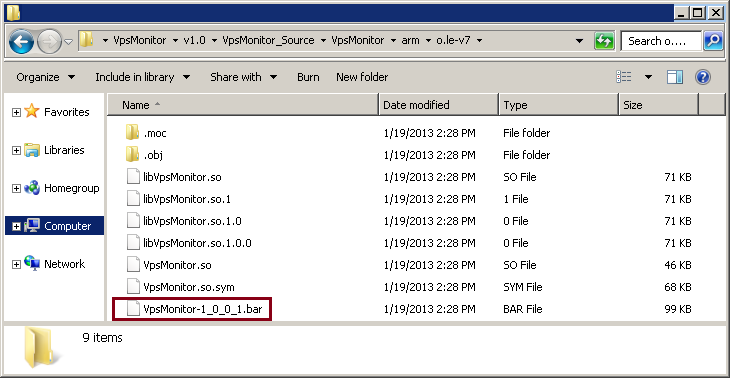
Be sure to zip up the bar file (right click -> Send To -> Compressed (Zipped) folder). When I tried uploading the BAR file directly, the AppWorld website didn't like that.
Before going to appworld.blackberry.com/isvportal and uploading your application, make sure you have these items ready to go:
- Zip archive of your bar file
- Application screenshots
- Application Icon
- Featured Image (1920x1080(ish)) for marketing
- Description